Live container metrics
See CPU, memory, network, disk IO, and GPU usage for each container. Compare them on the same charts, look back through their history, or open their logs.
 Gantry
AVAILABLE IN UNRAID COMMUNITY APPS
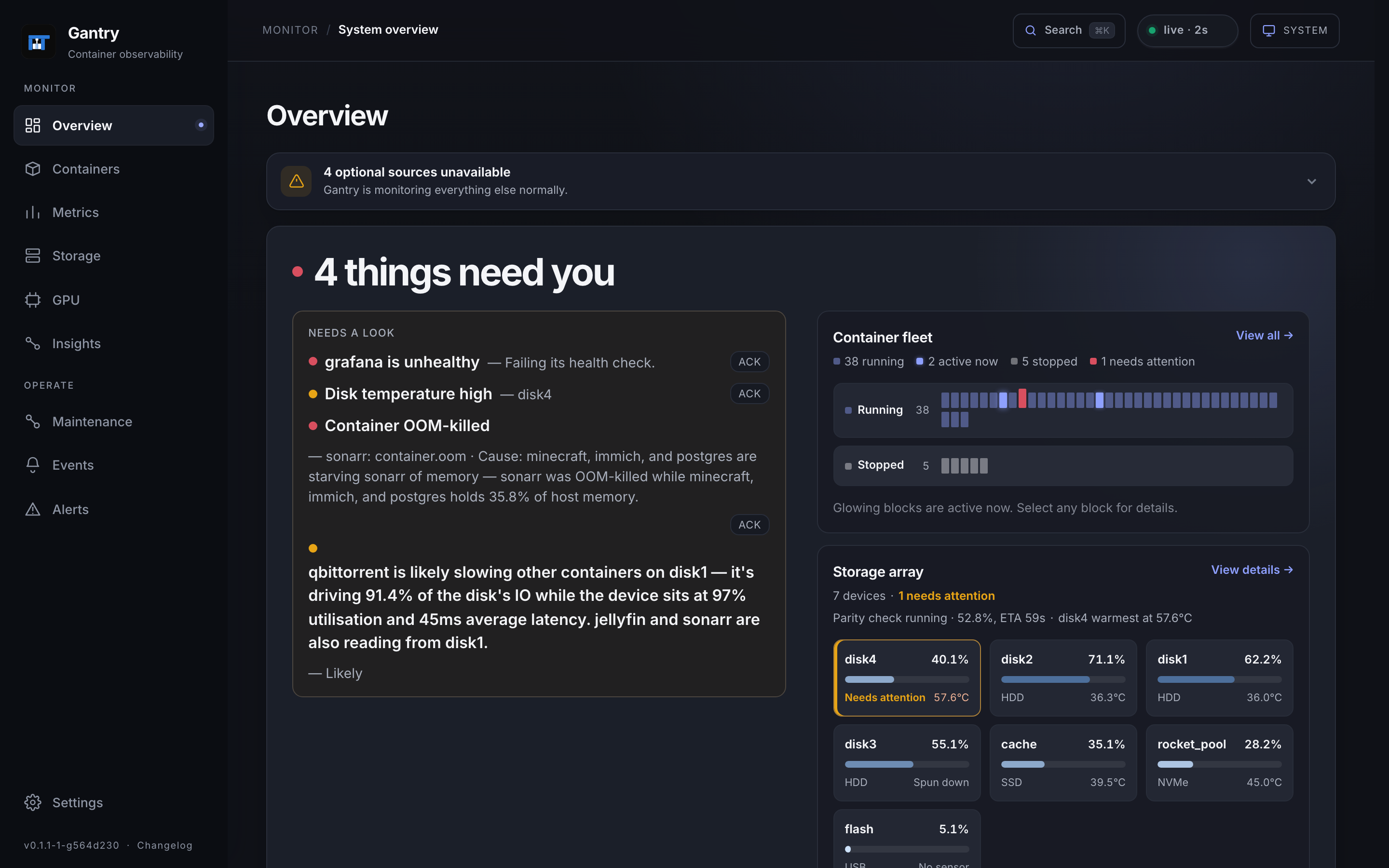
Track container resource use, check your storage, and find out which workloads are slowing things down.
Self-hosted · Open source · One Docker container
A single Docker container.
History stays on your server.
A local login. No cloud account.
01 / FEATURES
Check resource use across your containers, then open one for its history, logs, and storage details.
See CPU, memory, network, disk IO, and GPU usage for each container. Compare them on the same charts, look back through their history, or open their logs.
Check parity progress, drive temperatures, capacity, and errors. See which disks your containers use and whether they’re struggling to keep up.
See which containers are using the GPU, broken down by engine. Intel and AMD need no extra setup. Nvidia support requires the Nvidia runtime and includes VRAM usage.
Send alerts to Unraid’s notification center or a webhook. Choose when an alert fires and when it clears. If Gantry has found a likely cause, it includes that too.
02 / INSIGHTS
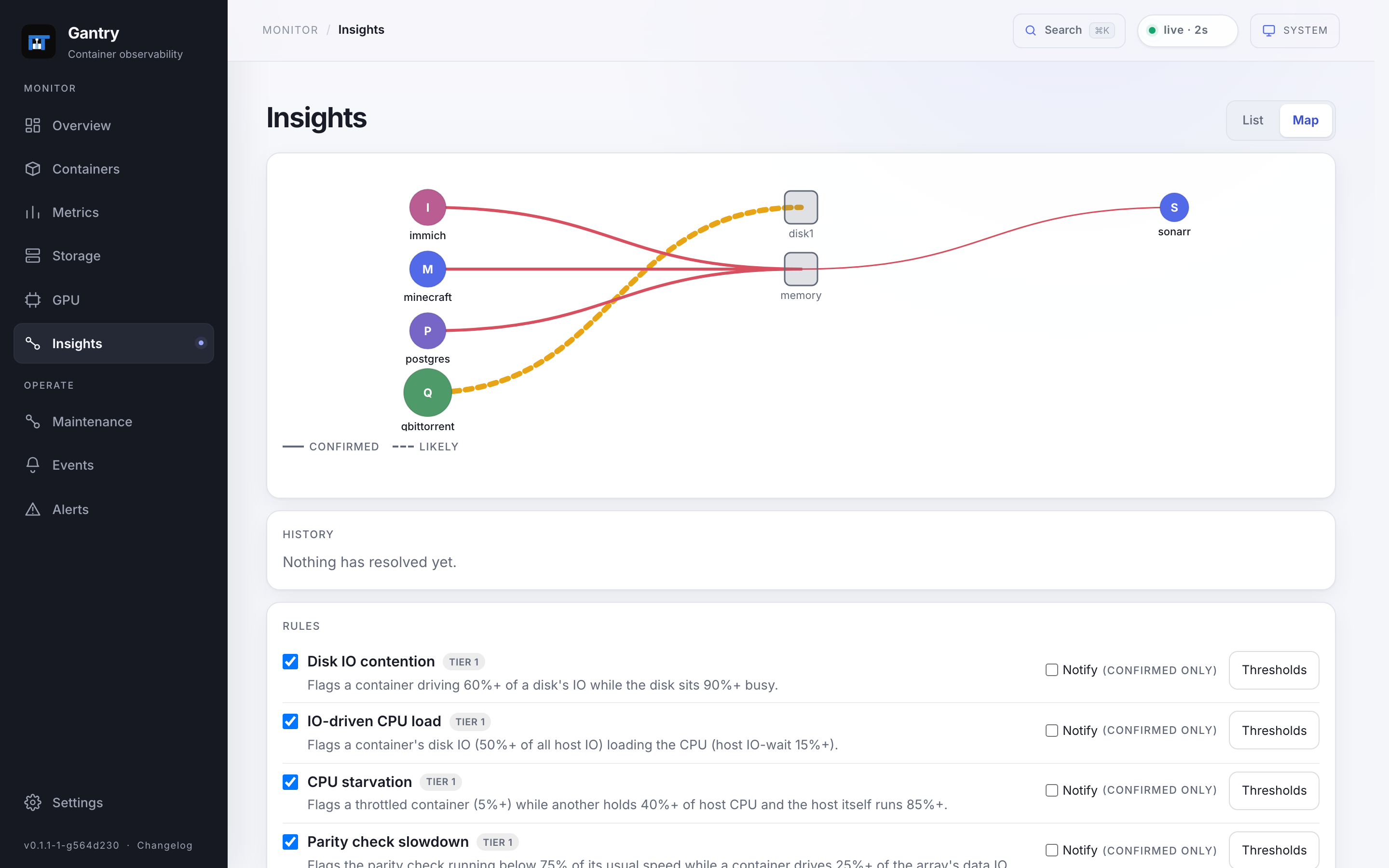
A download can saturate a disk while your media server is trying to read from it. Gantry looks for this kind of contention and shows the affected containers, measurements, and how confident it is about the cause.
03 / SELF-HOSTED
Gantry stores its settings and history in SQLite on your server. There’s no separate database or agent to set up. Create a local username and password the first time you open it.
Monitoring is read-only. You can also use the Maintenance view to remove unused images and stopped containers, with a confirmation before anything is deleted. Set GANTRY_READ_ONLY=1 to disable cleanup.
04 / INSTALL
Available in Unraid Community Applications.
The template fills in the required mounts and settings.
Use the Docker command, then open http://<your-unraid-ip>:8380/.
docker run -d \
  --name=gantry \
  --label net.unraid.docker.icon=https://raw.githubusercontent.com/smidley/gantry/main/template/gantry-icon.png \
  --pid=host \
  --cap-add=SYS_PTRACE \
  -p 8380:8380 \
  -v /var/run/docker.sock:/var/run/docker.sock:ro \
  -v /sys:/host/sys:ro \
  -v /var/local/emhttp:/unraid:ro \
  -v /tmp/notifications:/notify:rw \
  -v /var/lib/docker/unraid-update-status.json:/updates/unraid-update-status.json:ro \
  -v /mnt/user/appdata/gantry:/config:rw \
  --restart=unless-stopped \
  ghcr.io/smidley/gantry:latest
The update-status mount is optional. If that file is absent on your host, omit its line. Mounts & requirements ↗